Which Tech Accessories Are Becoming Essentials in 2026
16 September 2026
The idea of an "essential" tech accessory has shifted dramatically over the past few years. A decade ago, the list was short and predictable: a phone case, maybe a screen protector, a charging cable, and a pair of wired earbuds. Today, the category has exploded. Walk into any coffee shop, airport lounge, or coworking space and you will see people carrying gear that did not exist as a mainstream product five years ago. The question is no longer whether you need accessories. It is which ones have crossed the line from nice-to-have into genuinely essential.
That line matters more than most people realize. An accessory becomes essential when it solves a problem you face daily, when its absence creates real friction, and when the cost of not having it outweighs the cost of owning it. By that standard, several categories have quietly earned their place in 2026. Others are still fighting for relevance, and a few are overhyped. This article breaks down what is actually becoming essential, why, and how to decide what belongs in your own bag.
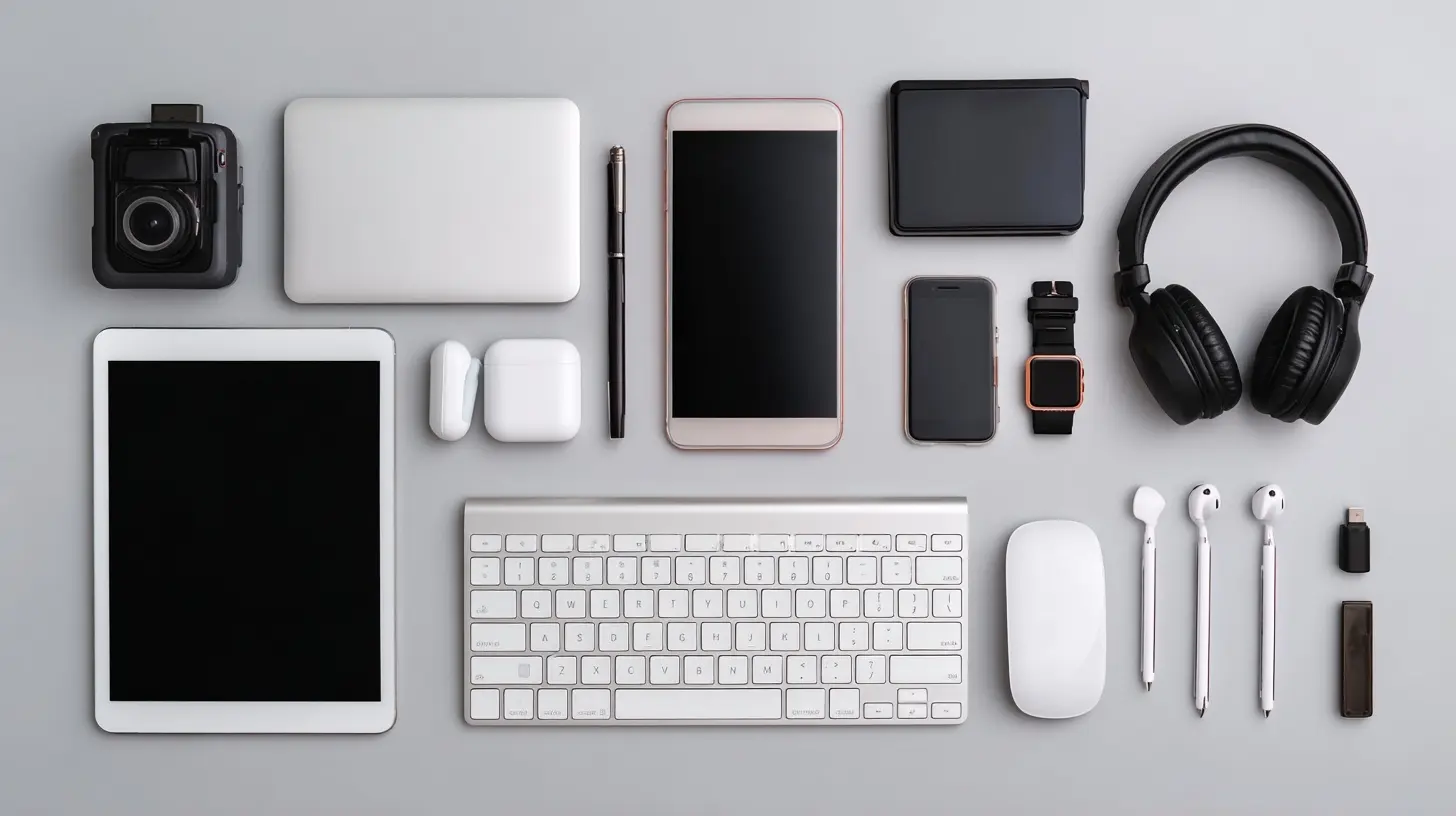
What Makes an Accessory Truly Essential
Before naming specific products, it helps to define the bar. Not every popular gadget deserves the label.The three tests of necessity
An accessory passes the essential test when it meets three conditions. First, frequency: you use it most days, not once a month. Second, dependency: something important breaks, slows down, or becomes uncomfortable without it. Third, replacement cost: losing it would force you to buy another one quickly, not eventually.A portable SSD that backs up your work laptop passes all three. A novelty phone stand shaped like a cat might pass the first test but fails the second and third. That distinction keeps this list honest.
Why the bar keeps moving
The bar moves because our devices change. When laptops dropped ports, dongles became essential overnight. When phones dropped headphone jacks, wireless audio became essential. When remote work went mainstream, webcams and microphones moved from "content creator gear" to "Tuesday." The pattern is consistent: when a primary device removes a capability, the accessory that restores it becomes essential by default.In 2026, the forces reshaping the essentials list are battery density, wireless standards, on-device AI, and the sheer number of devices the average person carries. Each one pushes certain accessories up the list and pulls others down.
Power and Charging Gear You Can No Longer Skip
If there is one category that has fully crossed into essential territory, it is power.High-capacity power banks with USB-C PD
The modern power bank is not the brick you bought in 2018. Today's essential version supports USB-C Power Delivery, can charge a laptop, and holds enough capacity to top up a phone two or three times. The reason is simple: our phones do more, and their batteries have not kept pace with the workload. Navigation, camera use, hotspot mode, and on-device AI features all drain power faster than casual use did a few years ago.When to choose a large power bank: travel days, festivals, long commutes, or any situation where you are away from an outlet for more than eight hours. When it is overkill: if you work from home and rarely leave a desk with a charger, a slim 5,000 mAh pack is enough.
The trade-off is weight. A 20,000 mAh bank can weigh as much as a small tablet. If you carry it daily, consider a 10,000 mAh model with fast charging instead. Capacity you never use is just dead weight.
GaN chargers that replace the drawer full of bricks
Gallium nitride chargers have quietly become one of the most practical accessories you can own. Because GaN components run cooler and more efficiently than traditional silicon, a single charger the size of a matchbox can power a laptop, phone, and earbuds at once.The essential version in 2026 is a 65W to 100W multi-port GaN charger. It replaces your laptop brick, your phone charger, and your travel adapter. One device, three jobs. That is the definition of essential.
A common mistake: buying a multi-port charger without checking how power is distributed. Many 65W chargers split output when you plug in a second device, dropping your laptop to 45W or less. If you charge a laptop and phone simultaneously, read the fine print on the port allocation table. It is the single most overlooked spec in the category.
Wireless charging pads and the standards question
Wireless charging is convenient, but it is not automatically essential. The magnetic standard that snaps a phone into perfect alignment changed the experience from "finicky" to "reliable," and that reliability is what pushed it over the line for many people.When wireless charging makes sense: bedside tables, desks, and cars, where you set a phone down repeatedly. When a cable is better: fast charging before you leave the house, or any situation where you need maximum speed. Wireless charging is generally slower and less efficient, so it works best as a background habit, not a rescue tool.
Audio Accessories That Have Earned Their Place
Audio has become one of the most personal categories in tech, which makes "essential" harder to define. Still, a few patterns hold.True wireless earbuds as default gear
For most people, true wireless earbuds have replaced both wired earphones and, in many cases, a dedicated headset. The essential version in 2026 includes active noise cancellation, a transparency mode, and multipoint pairing so you can switch between a laptop and phone without repairing.Why multipoint matters: it removes a tiny but constant annoyance. Without it, you disconnect from one device and connect to another every time you switch tasks. That friction adds up, and it is the main reason older earbuds get left in a drawer.
What to consider before buying: battery life in the case, not just the buds. A case that adds three full charges is worth more than a slightly better driver. Also check whether the buds support the Bluetooth codec your devices actually use. A premium codec means nothing if your phone does not support it.
Open-ear and bone conduction for awareness
Open-ear audio has moved from niche to genuinely useful, especially for runners, cyclists, and anyone who needs to hear their surroundings. These devices rest outside the ear canal or transmit sound through bone, leaving your ears open.When to use them: outdoor exercise, commuting on foot, or any environment where situational awareness is a safety issue. When to avoid them: noisy trains, planes, or open offices, where you need isolation to hear anything at all. They are a situational essential, not a universal one, and that is fine.
Portable DACs and the headphone jack comeback
This one is more niche, but it is growing. As phones dropped headphone jacks and laptops shipped with mediocre audio chips, small portable DACs and dongles became the bridge for anyone who cares about sound quality.The honest assessment: if you use basic earbuds, you do not need one. If you own good wired headphones and notice hiss, weak volume, or muddy bass from your laptop, a compact DAC can transform the experience for a modest cost. It is an essential for a specific group, not for everyone.
Computing Accessories for Hybrid Work
The hybrid work era created a new set of daily-use accessories. Some are now permanent fixtures.Portable monitors
A second screen used to mean a permanent desk setup. Portable monitors, typically 13 to 16 inches and powered over USB-C, changed that. For anyone who works from multiple locations, a portable monitor is one of the highest-impact accessories you can buy.Why it works: screen real estate directly affects how you multitask. Going from one screen to two can cut the time you spend switching windows. For spreadsheet work, coding, or video editing on the go, the difference is not subtle.
What to check before buying: weight, brightness, and whether it draws power from your laptop or needs its own source. A bright, light monitor that sips power is worth more than a cheap panel that drains your laptop in two hours. Also confirm the stand situation. Some monitors have flimsy kickstands that wobble on uneven tables.
Compact keyboards and mice
Laptop keyboards are fine for short sessions but punishing for full workdays. A compact mechanical or low-profile keyboard plus a travel mouse is now standard kit for hybrid workers.The trade-off is portability versus comfort. A full-size mechanical keyboard feels better but weighs more and takes up bag space. A 65 percent layout saves room but removes the number pad and function row. The right answer depends on what you type. If you enter numbers all day, do not buy a keyboard without a numpad and then complain. If you mostly write, a compact board is a joy.
Laptop stands and the ergonomics question
A laptop stand is one of those accessories people resist until their neck starts complaining. Raising the screen to eye level fixes the posture problem that laptops create by design. The catch: once you raise the screen, the built-in keyboard becomes awkward, so a stand usually pairs with an external keyboard.Best practice: if you use a laptop for more than two hours a day at a desk, a stand plus external keyboard and mouse is the single best ergonomic investment you can make. It is not glamorous, but it prevents problems that are expensive to fix later.
Connectivity and Adapters
Adapters get mocked, but they are essential precisely because they are boring and necessary.USB-C hubs and docking stations
A good USB-C hub turns one port into many. The essential version includes HDMI or DisplayPort output, at least two USB-A ports, an SD card reader, and pass-through charging.What goes wrong: cheap hubs overheat, drop connections, or fail to deliver enough power. The most common mistake is buying a hub that supports 4K at 30Hz when you need 60Hz, resulting in a sluggish, flickering display. Check the refresh rate, not just the resolution.
For a permanent desk, a full docking station is better than a dongle. For travel, a compact hub wins. Owning both is not excessive if you split time between a home office and the road.
Cables that actually last
It sounds trivial until a frayed cable kills your charge at the worst moment. The essential cables in 2026 are USB-C to USB-C with power delivery and data support, plus at least one USB-C to Lightning or equivalent for older devices you still own.Buy braided cables with reinforced connectors. Keep a short one in your bag and a long one at your desk. The cost difference between a cheap cable and a good one is small, but the failure rate is not.
Smart Home and Security Accessories
The home has become a device ecosystem, and a few accessories have become genuinely essential.Smart plugs and energy monitoring
Smart plugs are the lowest-effort entry into home automation. They let you schedule devices, control them remotely, and, in better models, monitor energy use. That last feature is underrated. Seeing which appliances actually consume power often changes behavior more than any efficiency tip.When to skip them: if a device already has scheduling built in, or if you rarely need remote control. Smart plugs are essential for lamps, heaters, and holiday lighting, less so for devices you interact with physically every time.
Video doorbells and cameras
Home security cameras have become common enough that they now function as a baseline expectation for many households. A video doorbell is the most useful single device because it answers the question people ask most: who is at the door, and should I care?Considerations before buying: local storage versus cloud subscription, privacy practices, and whether the camera works if the internet goes down. A camera that becomes useless during an outage is a weak security tool. Look for models with local recording as a fallback.
Health, Fitness, and Wearable Accessories
Wearables are a category where "essential" is genuinely contested.Smart rings and bands
Smart rings have grown in popularity because they trade a screen for subtlety. They track sleep, heart rate, and recovery without demanding attention. For people who dislike wearing a watch to bed, a ring can be the difference between tracking sleep and not tracking it at all.The trade-off: rings usually lack GPS and a display, so they complement a watch rather than replace it. If you want notifications on your wrist, a ring will disappoint you. If you want quiet, continuous health data, it is excellent.
Portable fitness sensors
Heart rate straps and power meters remain the gold standard for serious training because they measure more accurately than wrist-based sensors. They are essential for cyclists and runners who train by effort zones. For casual exercisers, a watch is usually enough.The lesson here: accuracy matters only if you act on the data. Buying a chest strap and ignoring the numbers is worse than not buying one.
What Is Overhyped in 2026
Not everything deserves the essential label, and saying so is useful.Smart glasses and AR wearables
Smart glasses are improving, but for most people they remain a solution in search of a problem. Battery life is limited, software ecosystems are fragmented, and social acceptance is still uneven. They are worth watching. They are not yet essential for the average user.AI gadgets without a clear job
A wave of small AI devices promises to organize your life. The honest question to ask: what specific task does this replace? If you cannot answer that in one sentence, the device is a novelty. The best AI features in 2026 live inside devices you already own, not in separate gadgets you have to remember to charge.Overpriced accessories with premium branding
A cable is a cable. A stand is a stand. Paying three times more for a logo rarely improves performance. Spend on the parts that matter, like charging speed, build quality, and warranty. Save on the parts that do not.How to Build Your Own Essentials Kit
The right kit is personal, but a sensible starting point looks like this.For daily carry: a 10,000 mAh power bank, a short USB-C cable, true wireless earbuds, and a compact multi-port charger.
For hybrid work: a USB-C hub, a portable monitor if you move between locations often, and an ergonomic stand with an external keyboard and mouse at your main desk.
For home: a smart plug or two, a video doorbell, and a reliable router. None of these are exciting. All of them reduce friction.
For health: a wearable that fits your habits, whether that is a watch, a ring, or a chest strap. Choose the one you will actually wear.
Common Mistakes to Avoid
Buying for the ideal version of yourself instead of the real one. If you do not go to the gym, a fitness tracker will not change that.Prioritizing specs over fit. A charger with more watts is useless if it is too bulky to carry.
Ignoring the ecosystem. Accessories that work across your devices beat ones that lock you into a single brand.
Skipping the return window test. Use new gear hard for two weeks. If it does not earn its place, send it back.
The Bottom Line
The accessories becoming essential in 2026 share a pattern. They restore capability that primary devices removed, they reduce daily friction, and they work across the devices you already own. Power gear, audio, hybrid work tools, and a few smart home devices have crossed the line. Flashier categories like smart glasses and standalone AI gadgets have not, at least not yet.The smartest approach is not to buy everything on a list. It is to notice where your day breaks down, then choose the accessory that fixes that specific break. Essentials are personal. The best ones are the ones you stop noticing because they simply work.
all images in this post were generated using AI tools
Category:
Technology ReviewsAuthor:

Adeline Taylor
Discussion
rate this article
2 comments
Meagan Cook
It's fascinating to see how tech accessories evolve. I wonder which ones will truly become essential and change daily life in 2026.
October 3, 2026 at 12:34 PM
Aelith Jordan
Embrace the future! These tech accessories will elevate your experience and keep you ahead.
October 2, 2026 at 12:00 PM
Adeline Taylor
I completely agree! Staying updated with tech accessories can really enhance our daily experiences. Exciting times ahead!